Skip to content
SEO Audit Pro icon

SEO Audit Pro

by SOFTCITY

Instant on-page & technical SEO audits for any page. 13 audit modules, PDF/CSV reports. 100% offline, no tracking.

Downloads
9
Version
1.0.1
Updated
27 Sep 2026
Size
201 KB

Chrome only installs extensions from its own store with one click, so this one is installed from the ZIP — it takes about a minute.

Screenshots

Overview

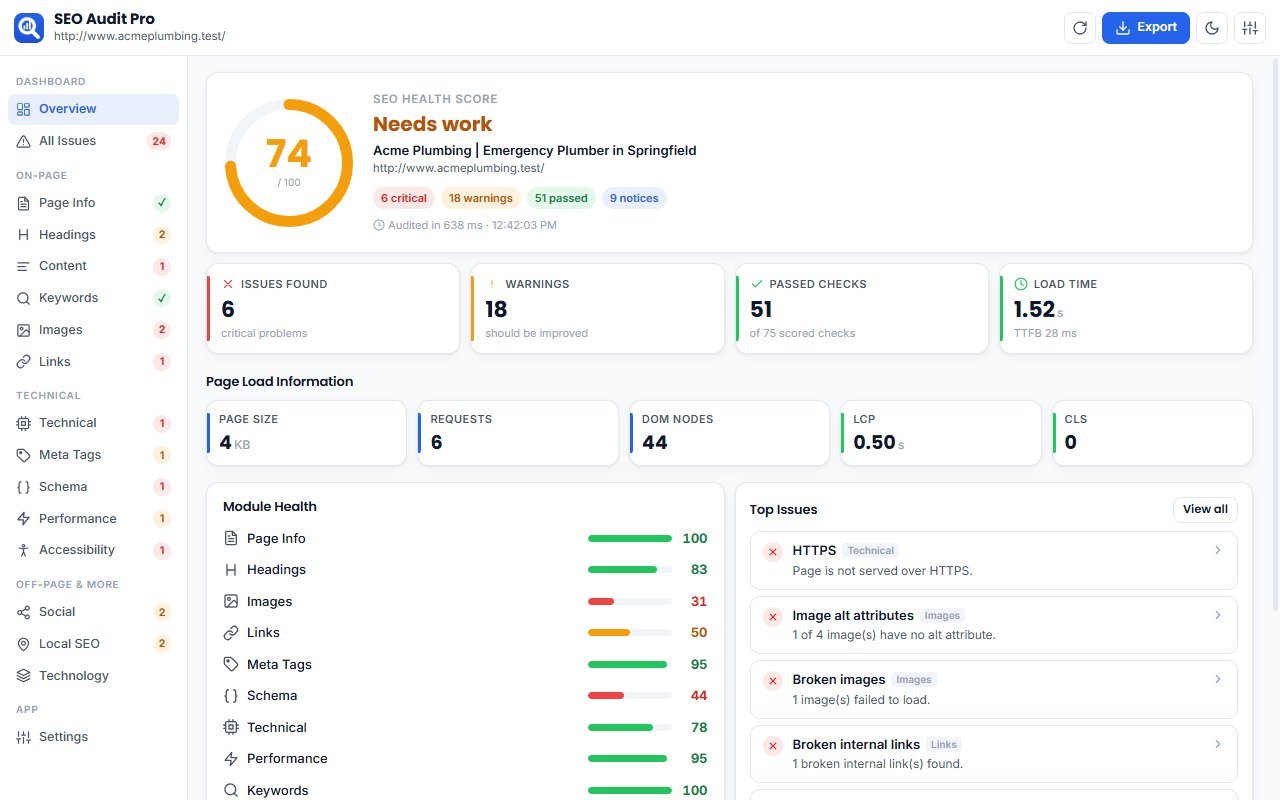
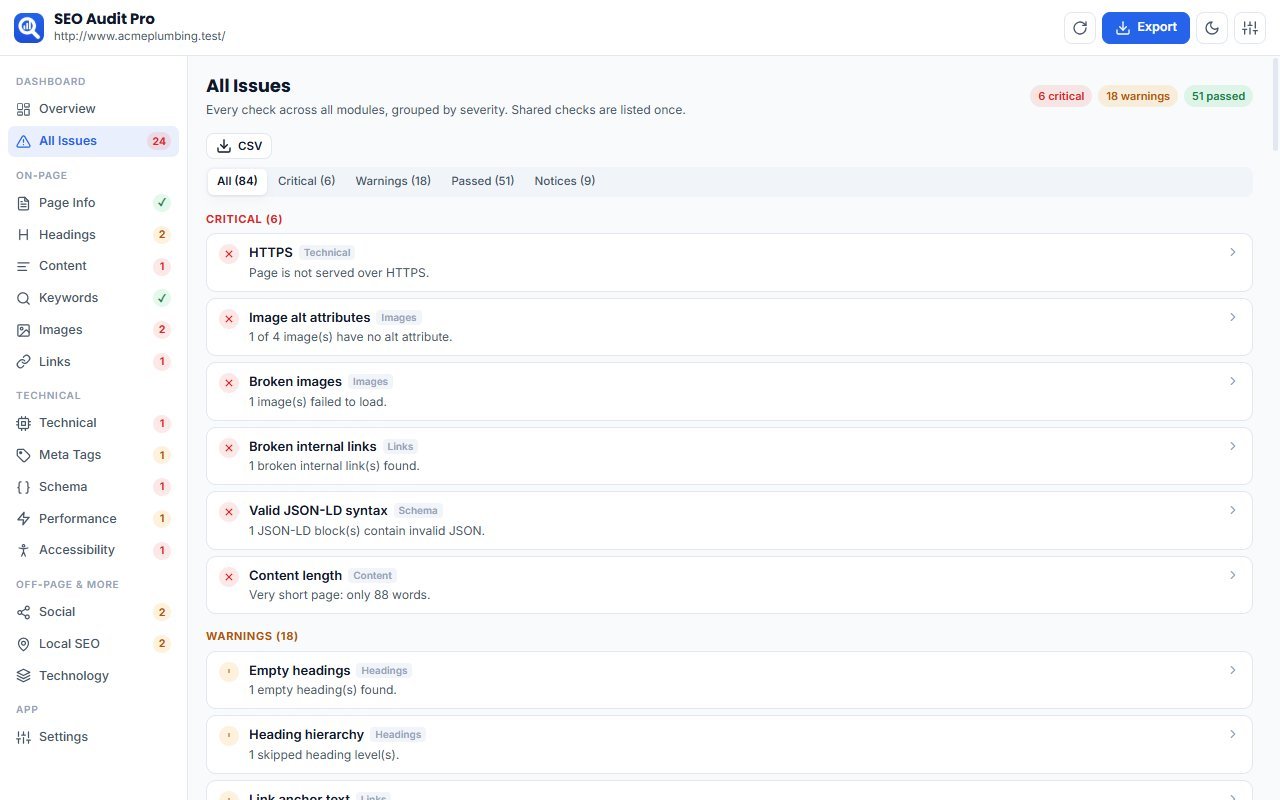
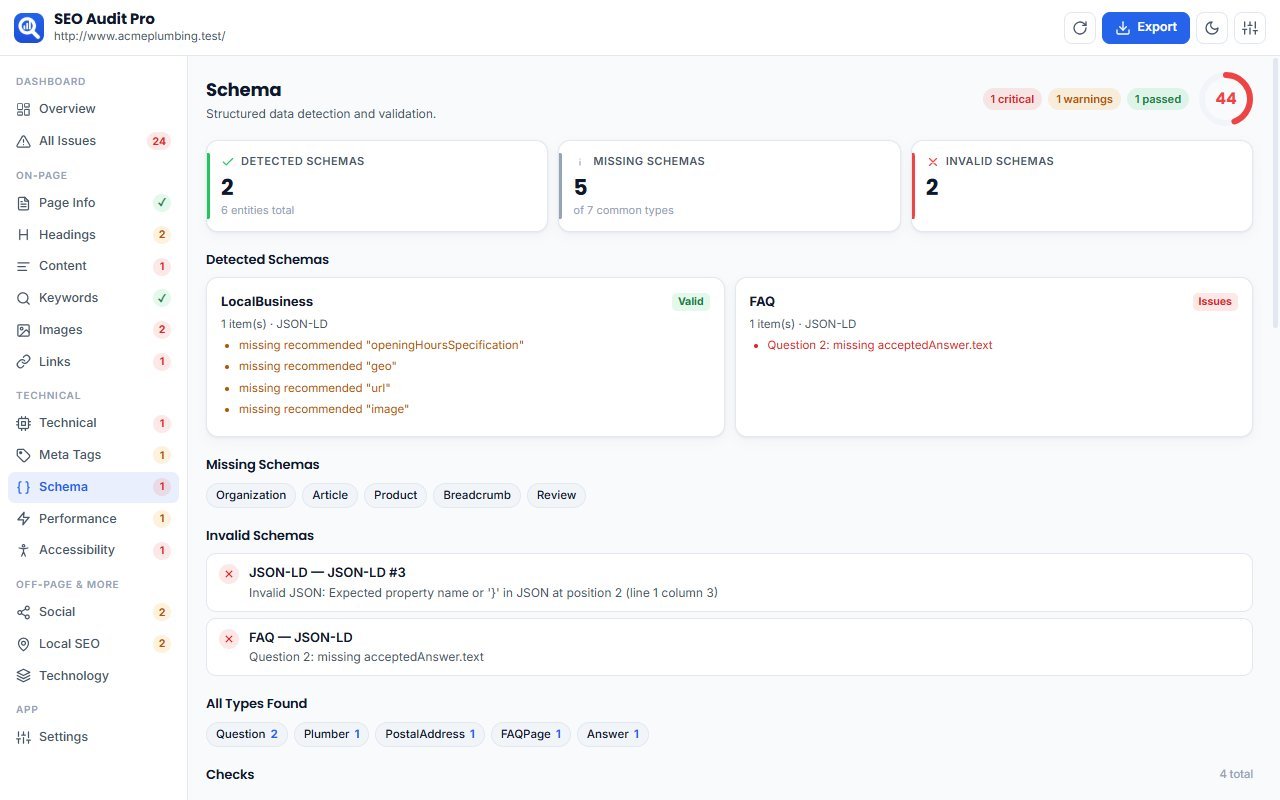
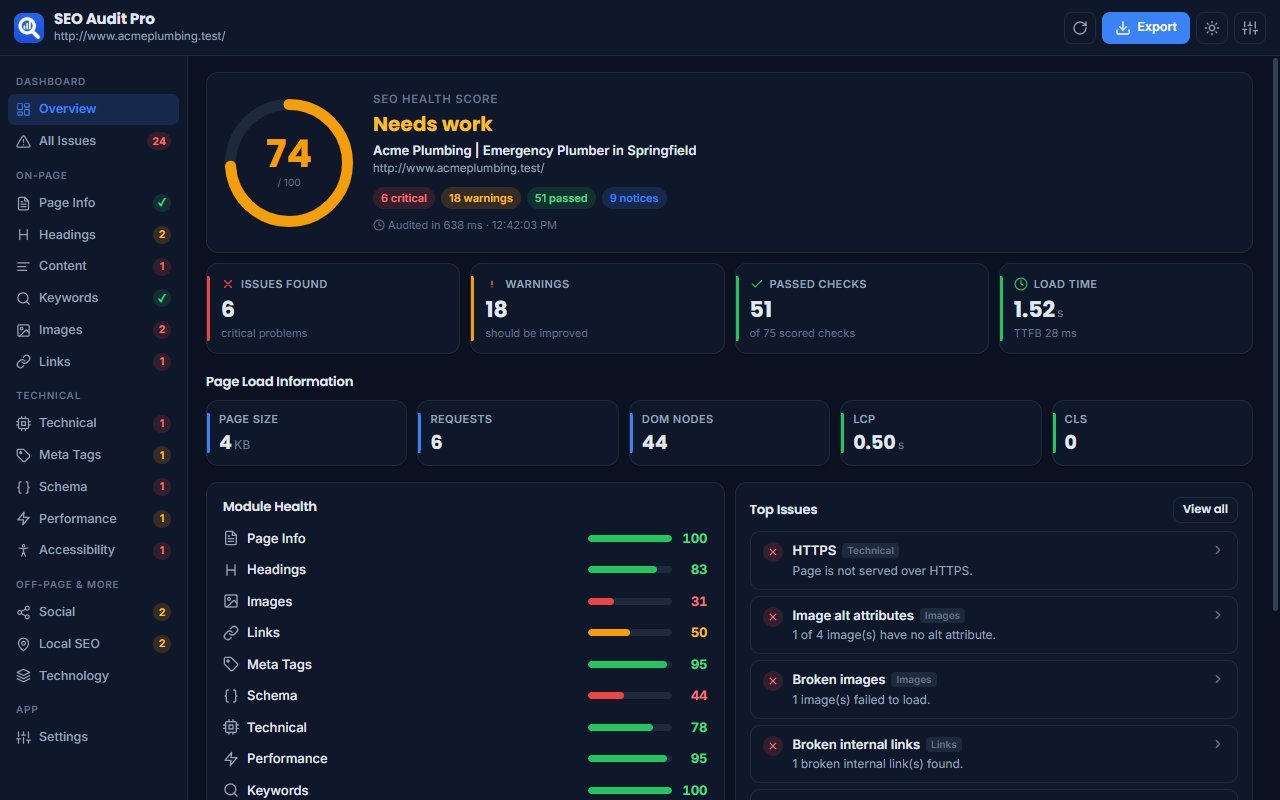
SEO Audit Pro checks any web page for SEO problems in a few seconds, right inside Chrome. Click the icon and you get an SEO health score, a list of issues sorted by priority, and a clear fix for each one. There's nothing to sign up for and no API keys, and your data never leaves your browser.
What it checks
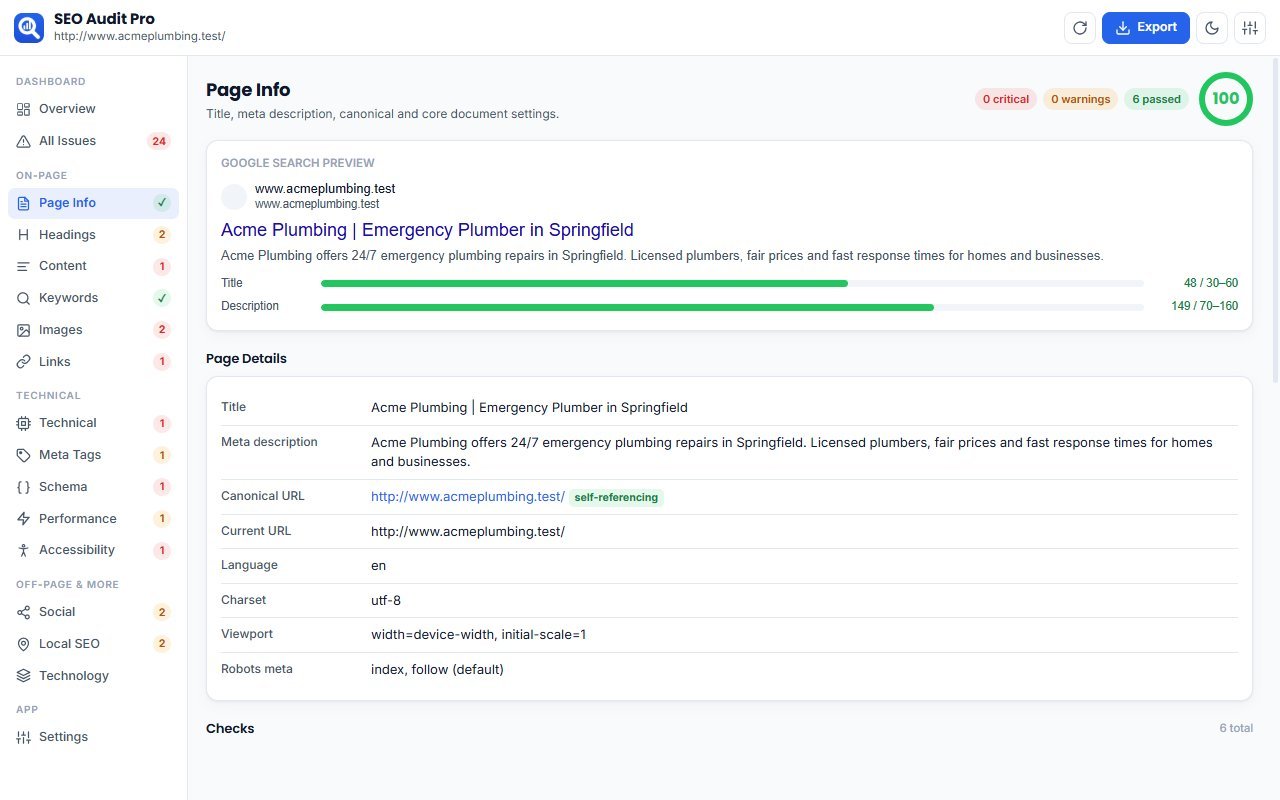
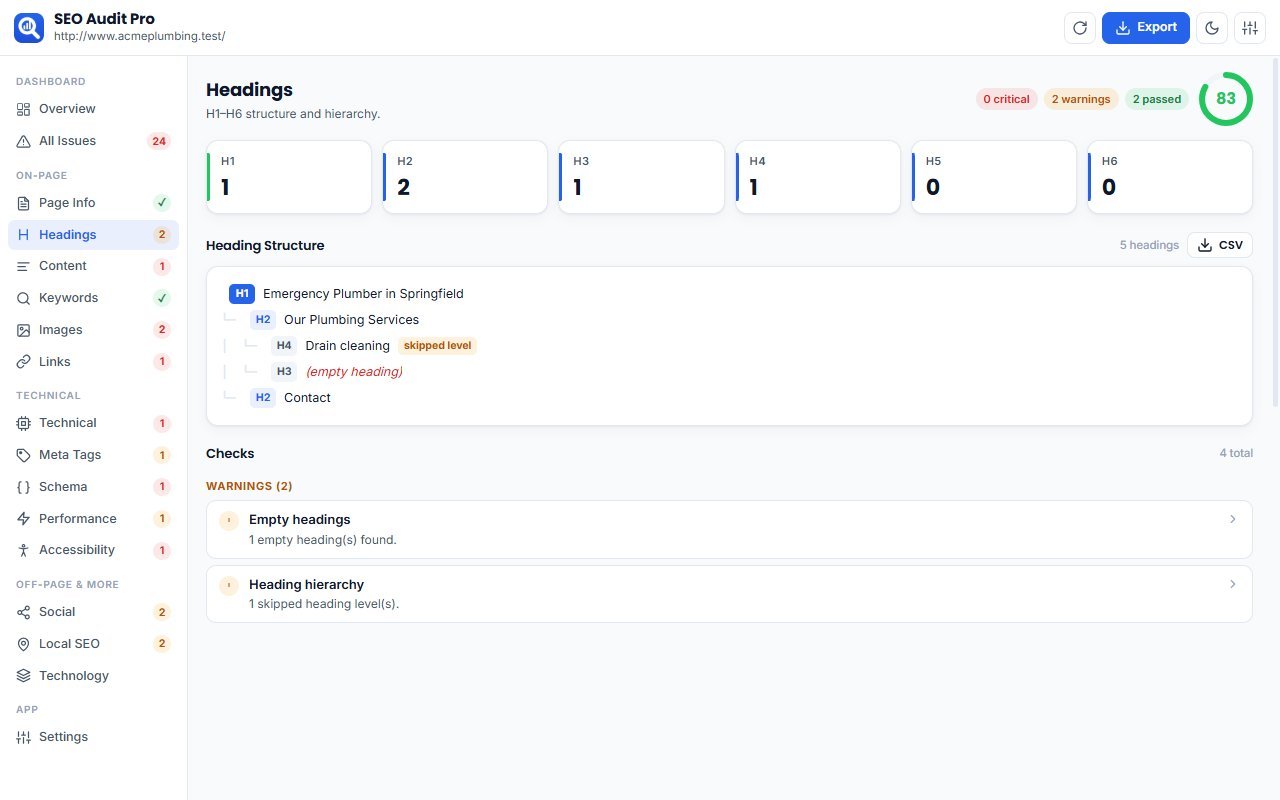
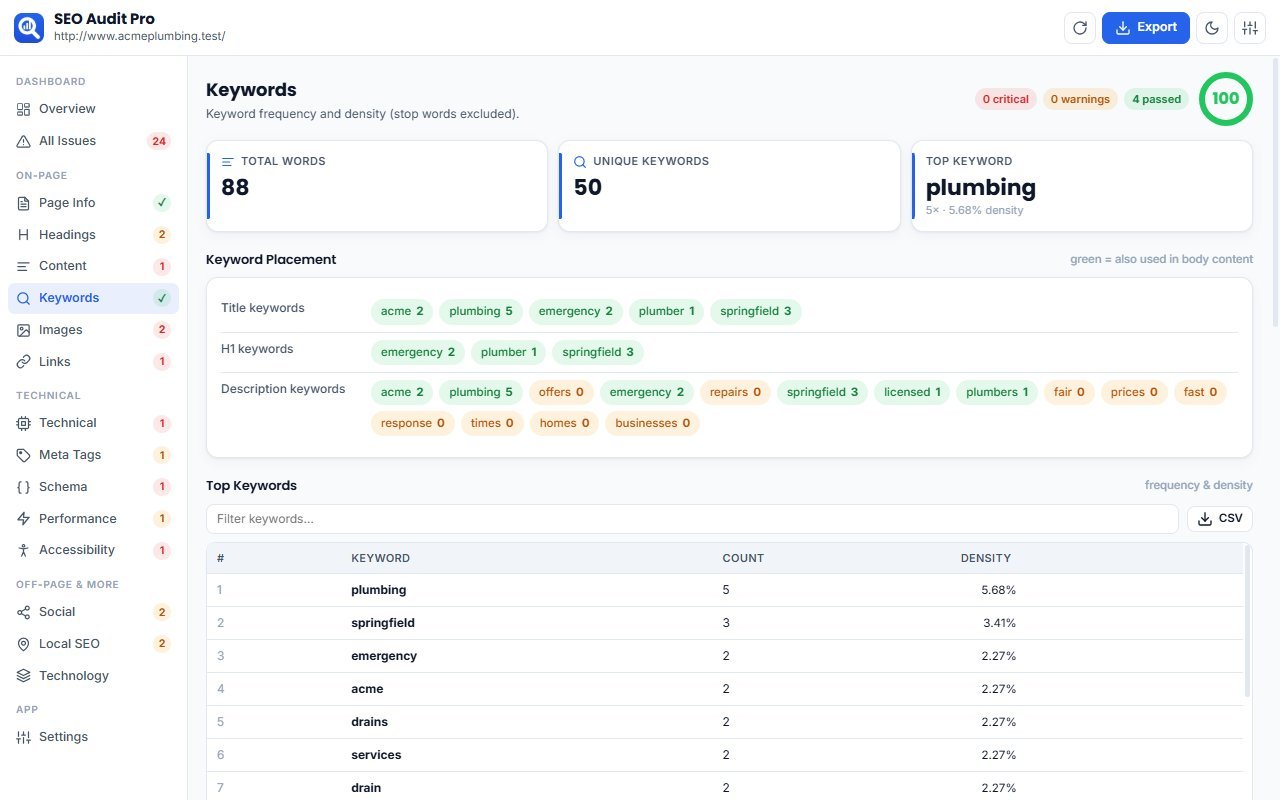
Page info: title, meta description, canonical URL, language, charset and viewport, with a Google search-result previewHeadings: missing or multiple H1, empty headings, skipped levels, and a visual heading treeImages: missing or empty alt text, broken images, heavy and oversized files, missing width/heightLinks: internal and external links, broken links, empty anchor text, nofollow and duplicate linksMeta tags: robots, canonical, Open Graph, Twitter Cards and hreflangSchema markup: Organization, LocalBusiness, FAQ, Article, Product, Breadcrumb and Review, shown as detected, missing or invalidTechnical SEO: HTTPS, mixed content, mobile viewport, indexability, doctype and URL hygienePerformance: page size, DOM size, requests, JS and CSS files, render-blocking scripts, TTFB, LCP and CLSKeywords: top keywords and phrases, keyword density, and keyword placement in the title, H1 and descriptionContent: word count, paragraphs, readability score, and thin-content detectionSocial media: Facebook and X/Twitter preview cards, with missing fields listedAccessibility: alt text, form labels, empty buttons and links, colour contrastLocal SEO: LocalBusiness schema, name/address/phone (NAP), Google Maps embed, contact detailsTechnology detection: WordPress, WooCommerce, Shopify, Laravel, React, Next.js, Vue, Angular and moreReports
PDF report: summary, critical issues, warnings, prioritised recommendations and passed checksCSV exports: all checks, images, links, headings, meta data and keywordsBuilt for
SEO specialists, digital marketing agencies, website owners, bloggers, developers and ecommerce stores.
Private by design
Works entirely inside your browser: no cloud, no backend, no external APIsNo tracking, no analytics, no accountsOnly runs on a page when you click the extension iconExtras
Dark and light modeAdjustable thresholds for title length, content length, performance and moreKeyboard shortcut: Alt+Shift+S

How to install

Six steps, about a minute. You only do this once.

  1. 1
    Click Download ZIP.
  2. 2
    Right-click the downloaded file and choose Extract All.
  3. 3
    Open chrome://extensions in Chrome.
    chrome://extensions Paste it into Chrome's address bar — websites cannot link to it directly.
  4. 4
    Turn on Developer mode (top-right).
  5. 5
    Click Load unpacked and select the extracted folder — the one that contains manifest.json.
  6. 6
    Pin the extension from the puzzle icon in the toolbar.

Updates are not automatic. To update, download the new version and click Reload on chrome://extensions.

Permissions

What this extension is allowed to do, in plain words:

  • Access the current tab only when you click the extension

    activeTab
  • Read tab titles and URLs

    tabs
  • Save settings on your device

    storage
  • Run the extension's scripts on the page you choose to capture

    scripting

What’s new in 1.0.1

No changelog for this version.
Older versions (1)
  • 1.0.0 27 Sep 2026

    Initial release 13 SEO audit modules with an overall SEO health score Issues grouped into Critical, Warnings and Passed, with a fix for each PDF report and CSV exports (issues, images, links, headings, meta, keywords) Technology detection (WordPress, Shopify, WooCommerce, Laravel, React, Next.js, Vue, Angular) Dark and light mode, plus adjustable audit settings

Privacy

Privacy Policy — SEO Audit Pro


SEO Audit Pro does not collect, store or share any personal data.
What the extension does
It analyses the web page in your current tab only when you click the extension icon or use its keyboard shortcut.All analysis runs locally in your browser. Page content is never sent to us or to any third party.To check for broken links, the extension sends simple requests directly from your browser to the links found on the page. No data is attached to these requests.Data storage
Your settings (such as theme and thresholds) are saved in your browser's local extension storage.The most recent audit for each tab is kept temporarily in session storage and is deleted when the browser closes.Reports you export (PDF/CSV) are saved only to your own computer.What we don't do
No analytics, tracking or advertisingNo user accountsNo servers: we never receive your browsing dataPermissions
activeTab and scripting: run the audit on the page you choosetabs: read the address of the current tab and clear old results when a page changesstorage: save your settings and the latest audit locallyIf you have any questions about this policy, contact us at the support email listed on this page.

Questions or problems? Contact SoftCity.

Detect the CMS, frameworks, hosting, CDN, analytics, marketing, security and payment tech behind any website. 100% offline.

Developer Tools v1.0.0
9 downloads
SnapCapture Pro icon

SnapCapture Pro

by SOFTCITY

Capture visible, full-page, area and element screenshots. Annotate, blur, crop and export to PNG, JPG, WebP or PDF — 100% offline. Powered by SOFTCITY.

Productivity v1.0.0
8 downloads